This section fulfills the dLocation Grouping NEMSIS requirement. For more information, see the NEMSIS Data Dictionary.
To add a department location
-
From any page, go to Administration: Departments. The Departments page opens.
-
Locate the appropriate agency and click its corresponding View Demographics link.
Tip: Use the Advanced Search toolbar to quickly locate a department by Agency or Demographic Status. -
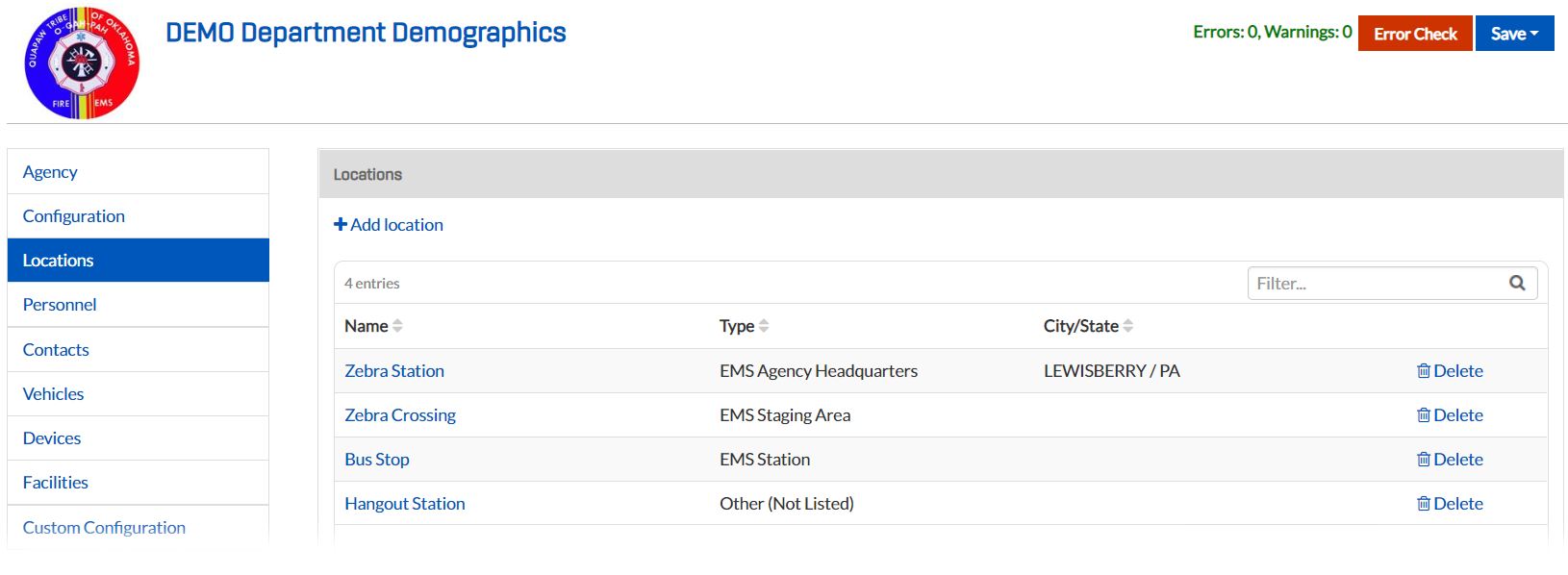
In the left sidebar, click the Locations tab.
-
Click Add Location.
-
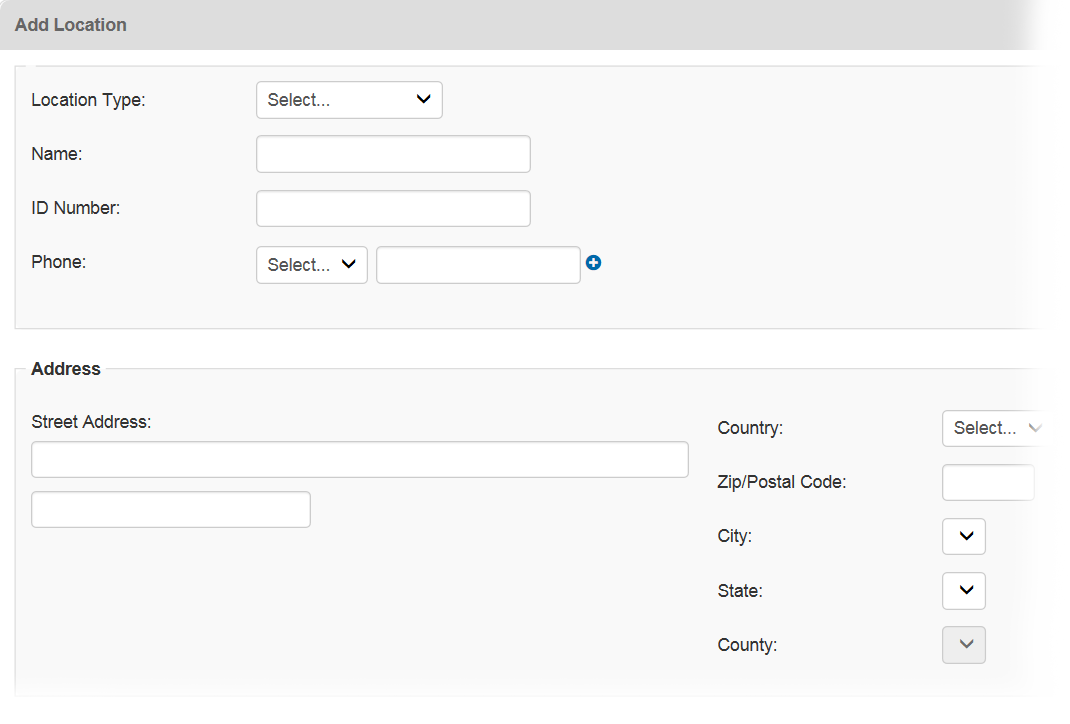
Complete the location fields, providing the correct demographics for the department.
-
Click Save.
Location Fields
Location Type
Type of location you are adding.
Name
Name for the location.
ID Number
An ID number for the location.
Phone
A Fax, Home, Mobile, Pager, or Work number designation, followed by the corresponding number.
Address
Address for the location.
Positioning
Latitude and longitude, as well as the national grid coordinates, for the location.