Department of Health (DOH) Administrators have the option of specifying custom schematron logic to be exported for a given Business Rule when generating a schematron file.
To override schematron code for a Business Rule
Note: Required fields are marked with an asterisk (*).
-
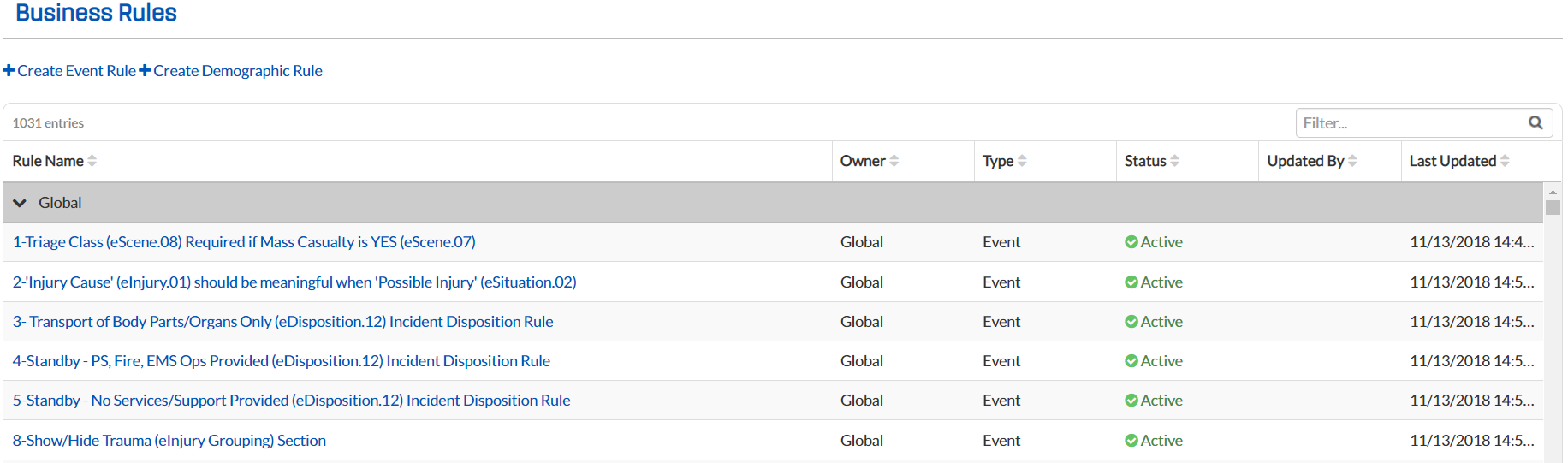
From any page, to to Administration: Business Rules. The Business Rules page opens.
-
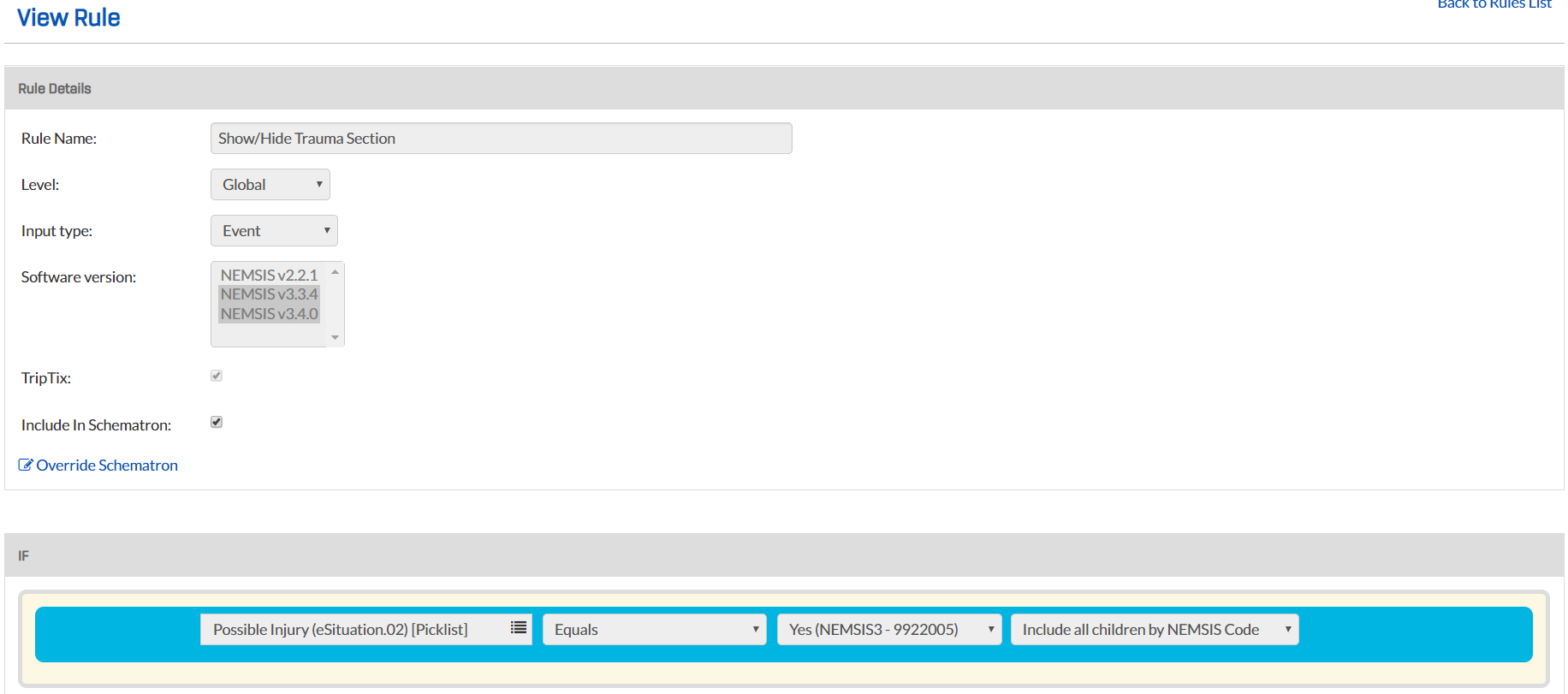
Locate the applicable rule and click its name. The View Rule page opens for the selected rule.
-
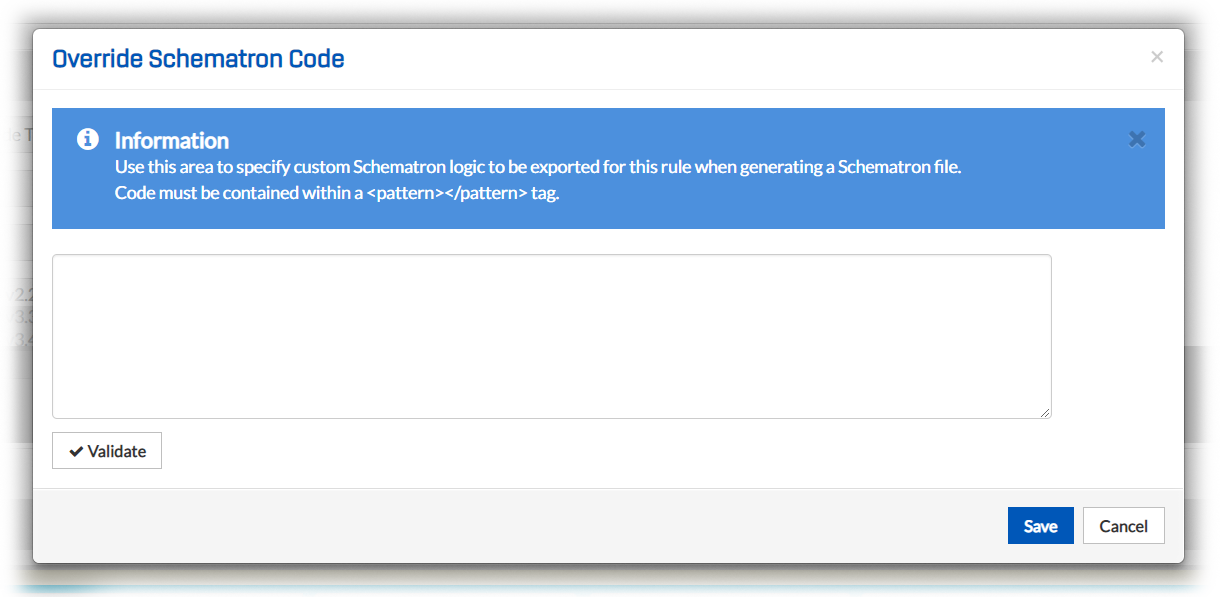
In the Rule Details section, click Override Schematron. The Override Schematron Code window opens.
-
In the text box, enter a code contained within a <pattern></pattern> tag, specifying the custom logic to be exported for this rule when generating a schematron file.
-
Click Validate.
-
Click Save.