If a department has late, partial, or missing submissions, you can notify them via email. The same applies if a department has low validation scores that require attention.
To send an email to departments with late, partial, or missing submissions
-
From any page, go to Reports: Submission Report. The Submission Report page opens.
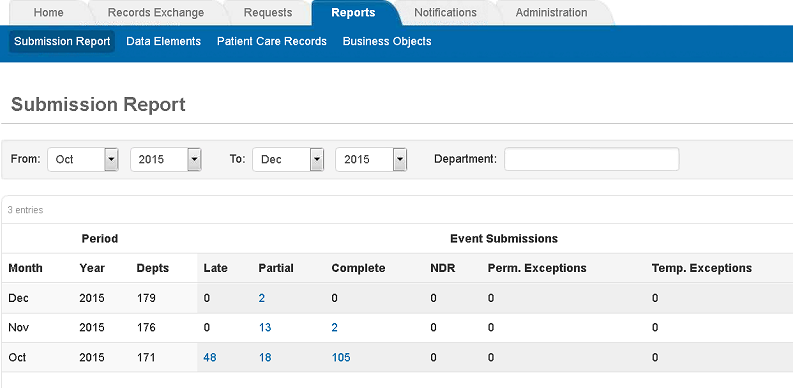
-
In the Late, Partial, or Missing column for the desired month, click the applicable number link. The Event Submissions page opens.
-
Select the departments to include in the email.
-
Click Send Email.
-
In the window that opens, select a notification template.
-
Alternatively, enter a subject and message for the email.
-
Click Send.
To send an email to departments with low validation scores
-
From any page, go to Reports: Submission Report. The Submission Report page opens.
-
In the Low column for the desired month, click the applicable number link. The Validation Scores page opens.
-
Select the departments to include in the email.
-
Click Send Email.
-
In the window that opens, select a notification template.
-
Alternatively, enter a subject and message for the email.
-
Click Send.