Fax Failed Notifications are automated notifications sent to managers and supervisors when there is a failed fax of a run record. You can configure options that will optimize the notification's effectiveness. For example, you can turn off such notifications for the majority of individuals, while selecting specific individuals to receive it.
To Configure Fax Failed Notifications
- From any page, go to Notifications: Automated Notifications. The Automated Notifications page opens.
- Locate Fax Failed Notifications in the list. Click its associated Configure link at the left. The Fax Failed Notification Configuration window opens.
-
Ensure that Active is toggled on in the Details section (the default).
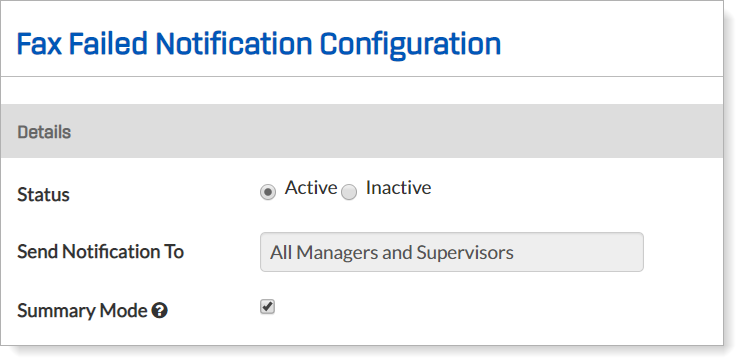
- In the Edit Notification Participants section, notice that the default recipient group is All Managers and Supervisors. This means that every manager and supervisor will receive all Fax Failed Notifications.
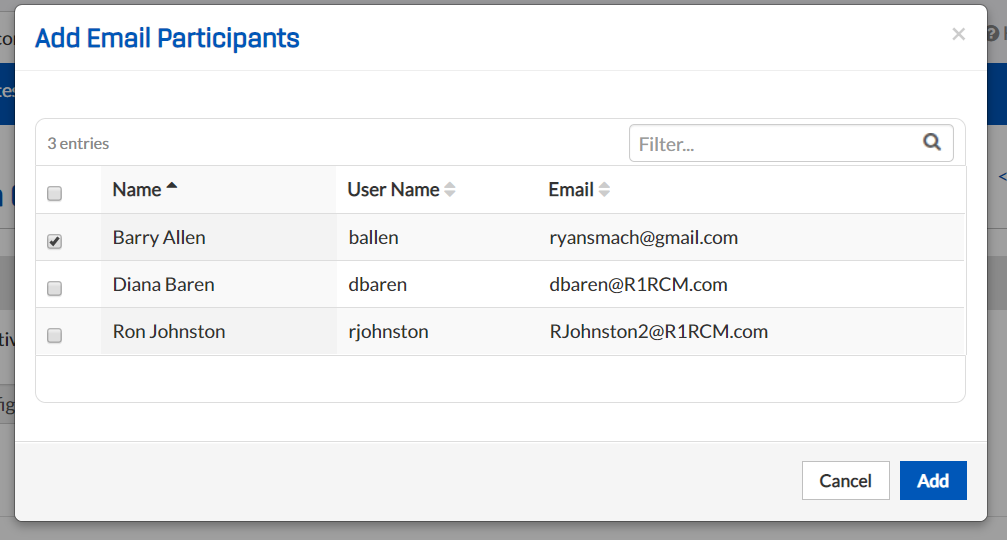
- If you want only selected individuals to receive these notifications, click Add Email Participants. The Add Email Participants popup window opens.
- Check the box at the left for each manager or supervisor who should receive notifications for a failed fax.
- When you have made all of your selections, click Add.
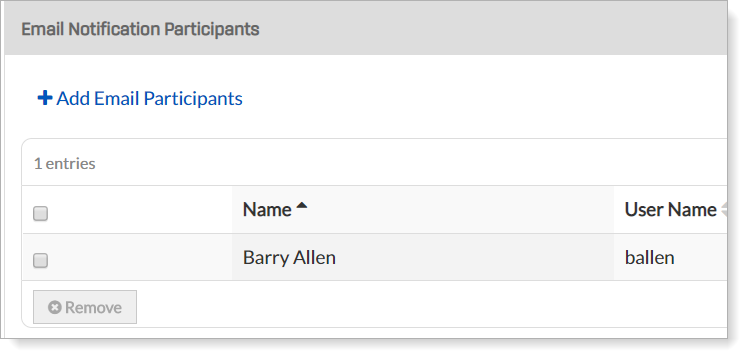
- Note that the Send Notification To field now reads Configured Email Notification Participants and that the names you selected appear in the list below.
- If you would prefer for individuals to receive Failed Fax Notifications in a digest/summary form, rather than one-by-one, check the Summary box in the Details section. (It is checked by default.)
- Click Save.