As a final precursor to installation, you must verify that your device's Internet options are configured properly. This step ensures that while a user is logged into either TripTix CDX or Windows, data is sent in a secure and reliable fashion between applications.
To configure your Internet options
-
From the Windows Start menu, open the Control Panel. The Control Panel window opens, showing all items on your device.
-
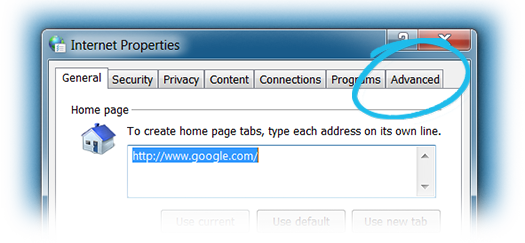
Double-click Internet Options. The Internet Properties window opens.
-
Click the Advanced tab.
-
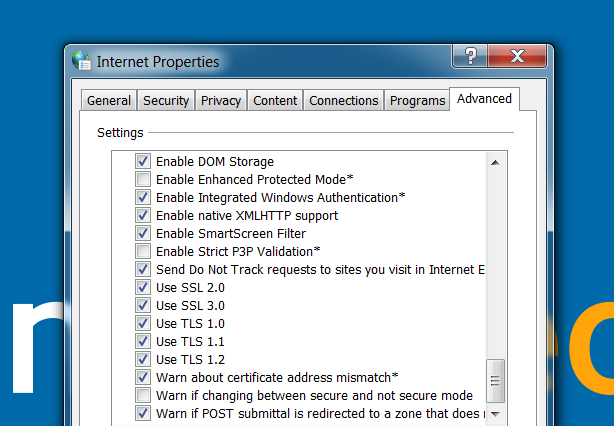
Select the check box for each of the following settings:
-
Use SSL 2.0
-
Use SSL 3.0
-
Use TLS 1.0
-
Use TLS 1.1
-
Use TLS 1.2
-
-
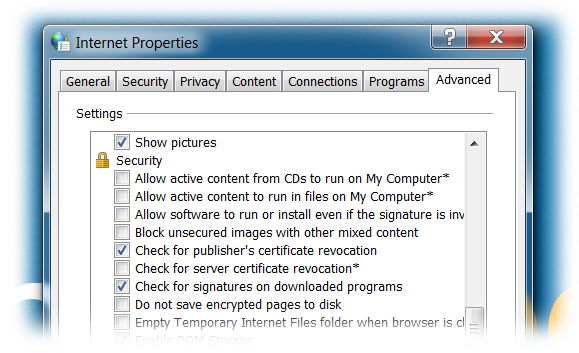
For Check for server certificate revocation, clear the check box.
-
Click Apply.
-
Click OK.