Vitals events are used to document an assessment of the patient's vital signs. In the Vitals Event window, there are four sections for you to complete: Event Log, Primary, Monitoring, and Scales.
Tip: If enabled by your department, you can import vitals from your monitoring device into this event.
To Add a Vitals Event
Only physical exam findings appear in the Assessment window; vital signs are input in a separate window via the Events workflow.
(Note: Both Vitals Event and Assessment have a Within Normal Limits option, which can be configured according to your department’s preference.)
To Enter Vital Signs
You can input vital signs one of two ways.
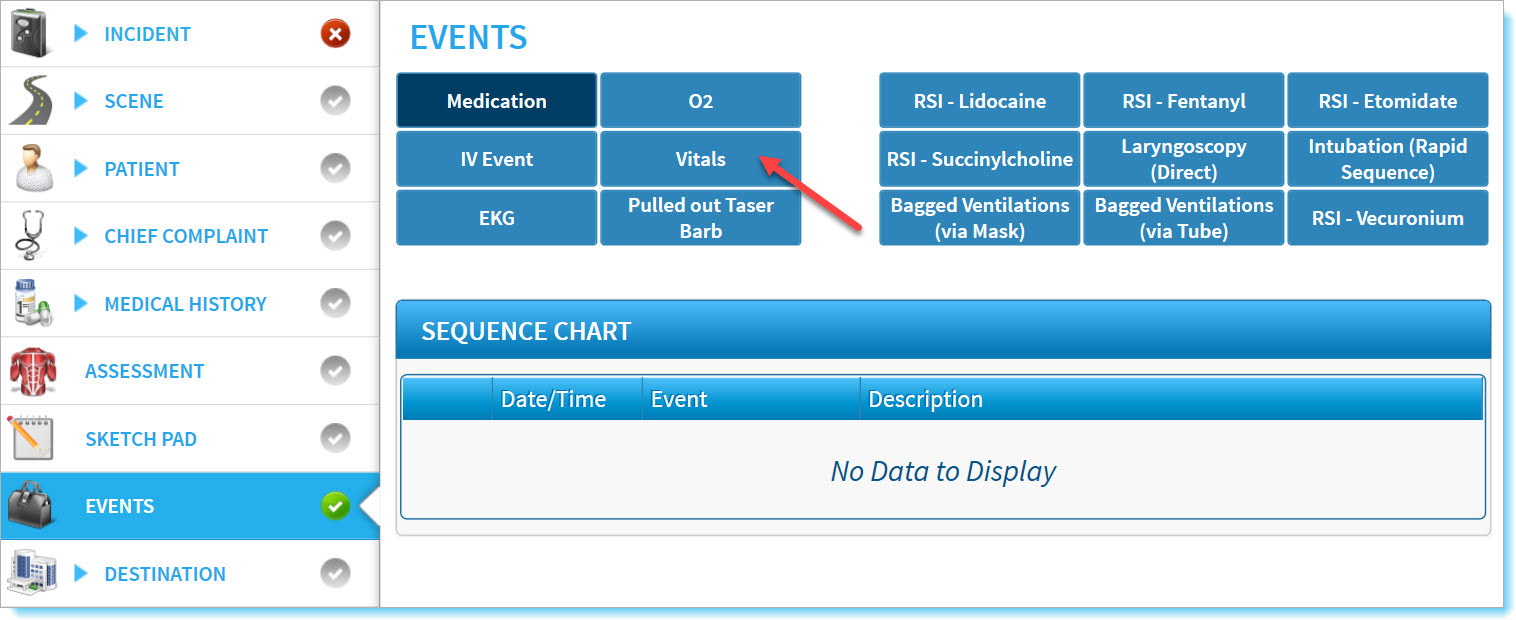
- Tap Events, at the left of the ePCR screen.
- Select Vitals from the Events list.
Alternate Method to Input Vitals
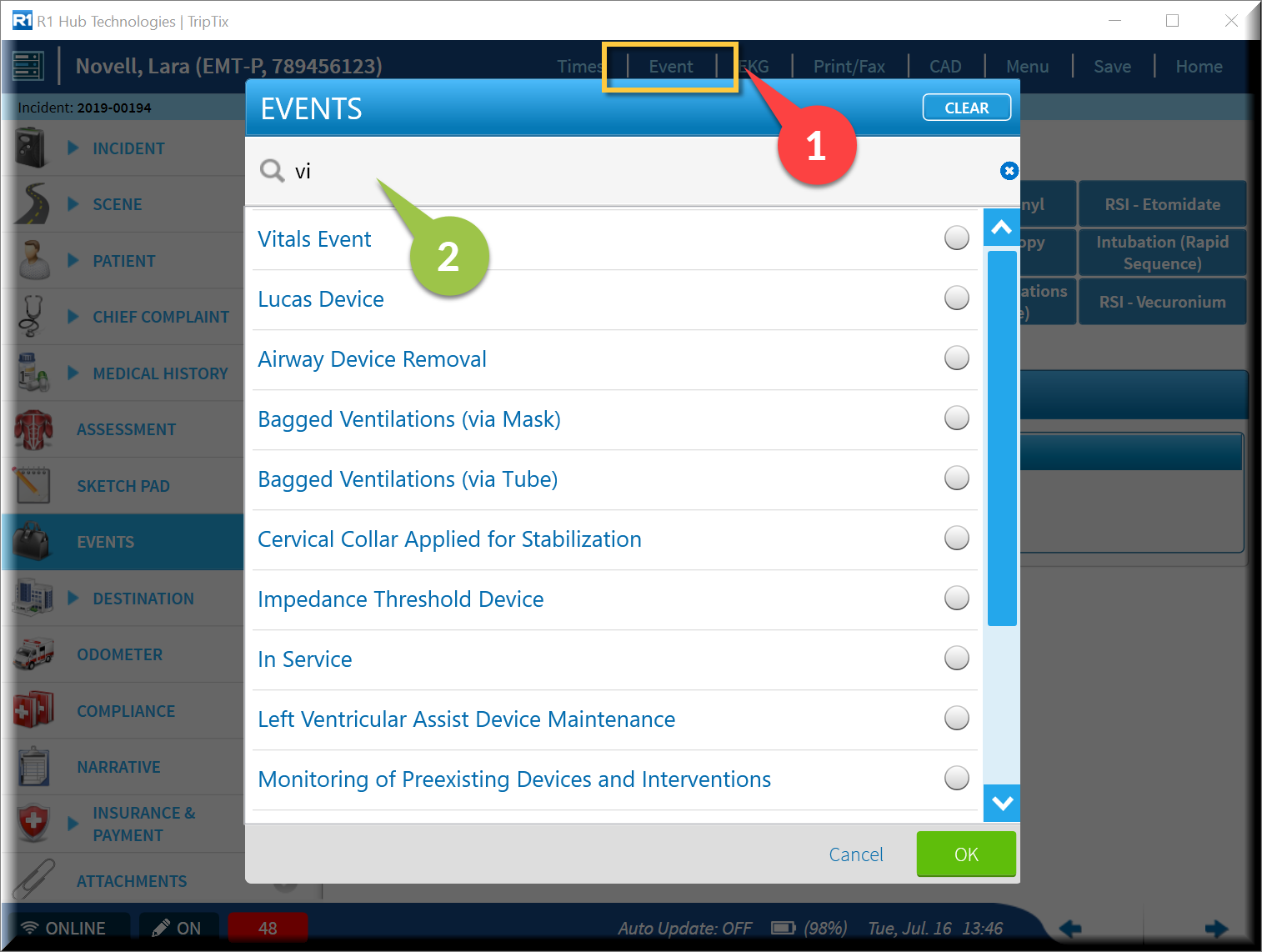
- Tap on Event in the top menu bar, and the Events window opens.
- Begin typing "vitals" in the filter field, or scroll to bottom of the list to select Vitals Event.