In TripTix Windows, you can use the Advanced Crash Notification subsection to document the velocity of the vehicles at the point of collision. Knowing the velocity gives you a better understanding of the mechanism involved and, potentially, the injuries likely to be associated with such forces.
To add vehicle velocity information
-
In the side navigation of an open run record, tap Trauma. The section expands to show the available subsections.
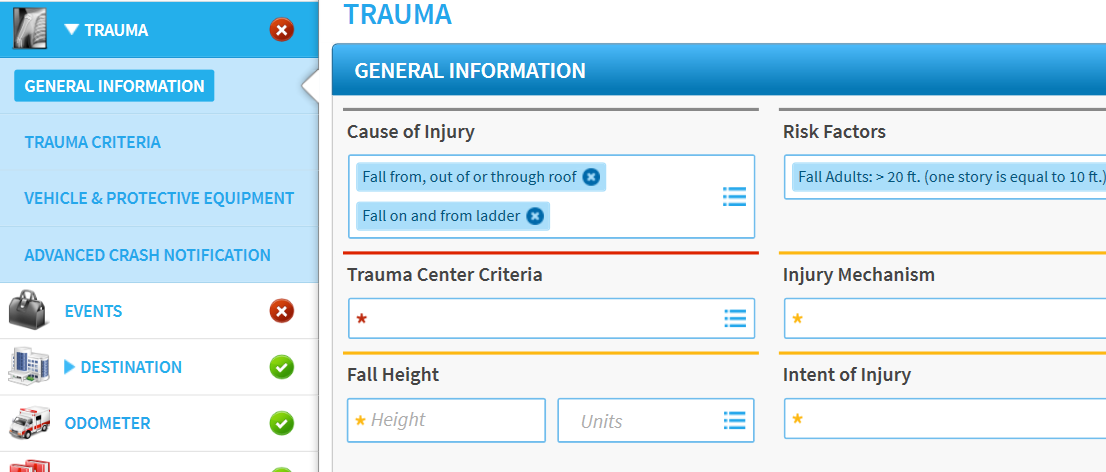
-
Tap Advanced Crash Notification.
-
Scroll to the bottom of the page and, under the Delta Velocity heading, tap the Ordinal field.
-
Enter the appropriate numerical value.
-
For Velocity, enter the appropriate numerical value.
-
For Units, select the units used to measure the velocity: Kilometers per Hour or Miles per Hour.
-
Tap Add. The information appears in the velocities table.

To edit or delete a velocity entry
-
In the side navigation of an open run record, tap Trauma. The section expands to show the available subsections.
-
Tap Advanced Crash Notification.
-
Go to the velocities table and tap the appropriate entry's corresponding Edit button.
-
Make your changes.
-
Tap Edit.
To delete velocity information, tap the appropriate entry's corresponding Delete button.