You determine which insurance companies appear as options for users to select when completing the Insurance section of the run record. Although users can always input a custom entry, having preconfigured insurance companies available can speed up the process of adding insurance companies by automatically populating certain fields related to the company.
To add insurance companies
-
From any page, go to Administration: Pick Lists.
-
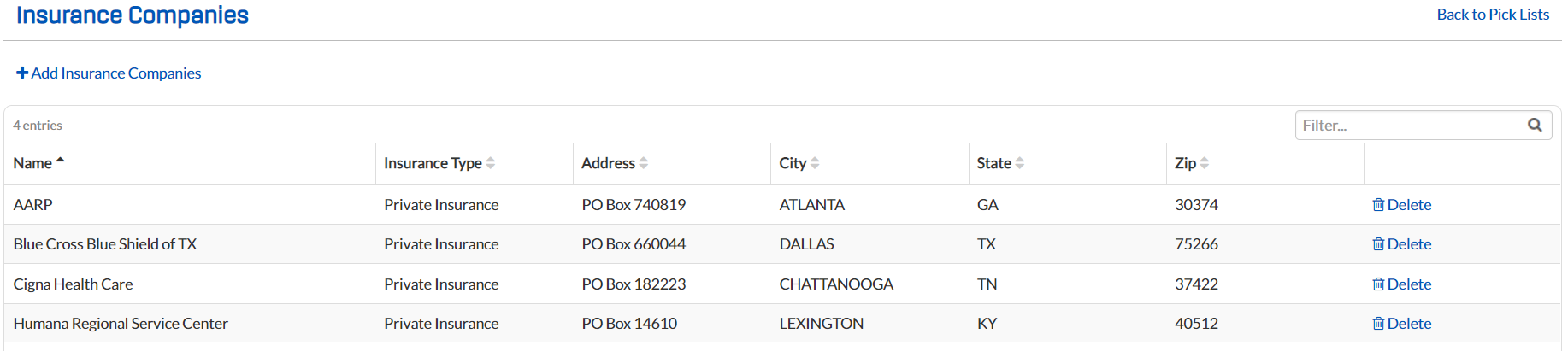
Search for and select Insurance Companies. The Insurance Companies page opens.
-
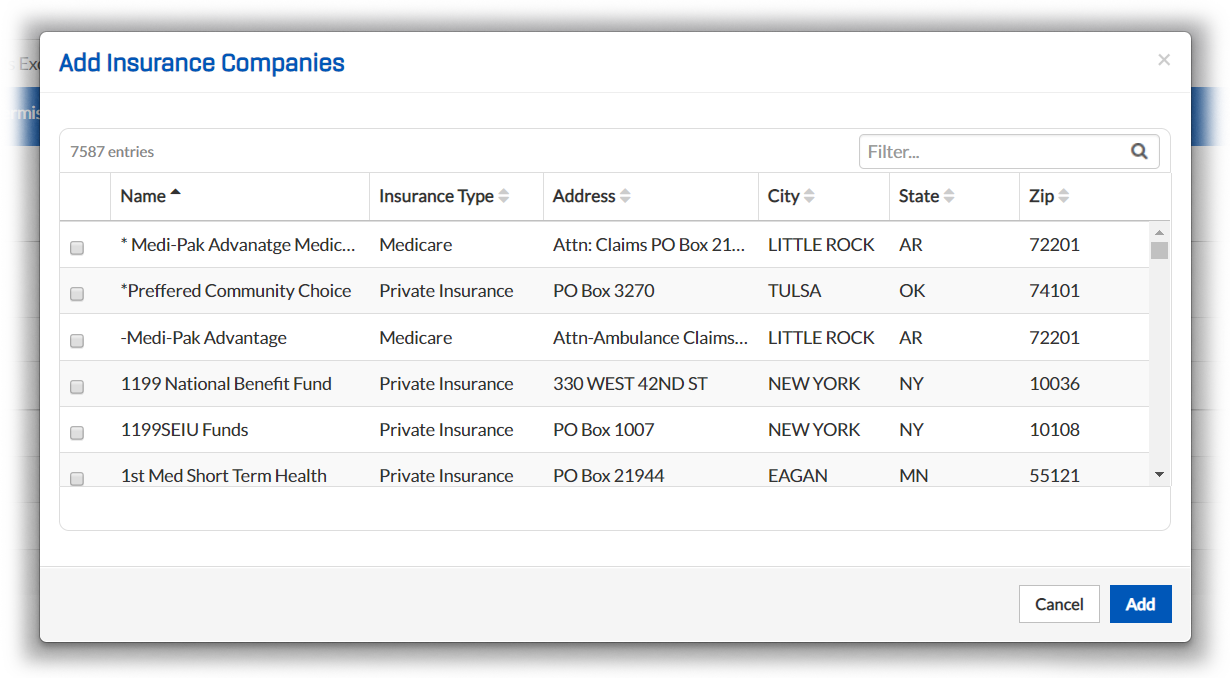
Click Add Insurance Companies. The Add Insurance Companies window opens.
-
Select the check box to the left of each insurance company you want to add.
-
Click Add.
To delete insurance companies
-
From any page, go to Administration: Pick Lists.
-
Search for and select Insurance Companies. The Insurance Companies page opens.
-
Click the Delete link associated with the insurance company you want to delete.
-
When the confirmation window opens, click Ok.