DOH Administrators can upload schematron files by following the process outlined below.
Note: You can only upload a schematron file in the XML format.
To upload a schematron file
-
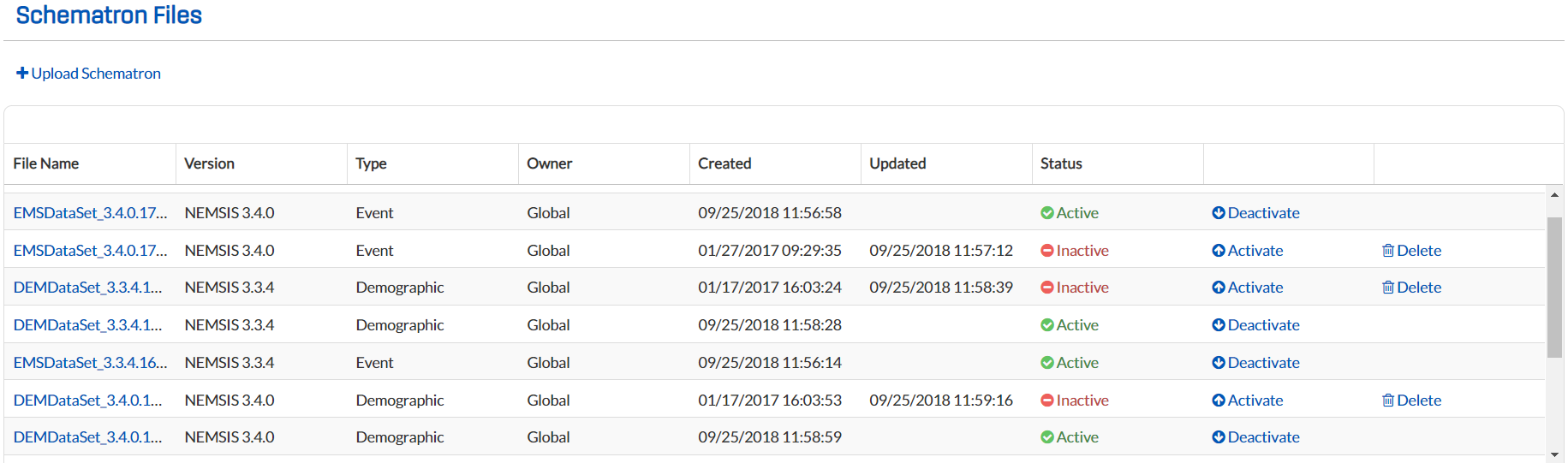
From any page, go to Administration: Schematron Files. The Schematron Files page opens.
-
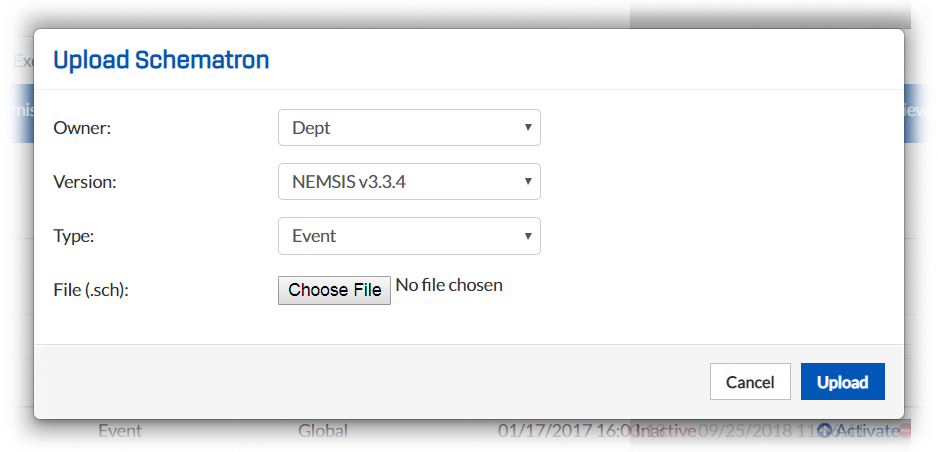
Click Upload Schematron. The Upload Schematron window opens.
-
From the drop-down lists, select an Owner and Type.
-
To select the schematron file to upload, click Browse and follow the prompts.
-
Click Upload. The schematron file appears in the table on the Schematron Files page.
To deactivate an uploaded schematron file, click Deactivate.
Tip: You can also create Business Rules and generate a schematron file internally on your system.